
Pizza Boy A Basic
Pizza EmulatorsArcade
4.92.20K Reviews
- Version
- 2.3.3
- Installs
- 1.00M
- Age Rating
- Everyone
Screenshots
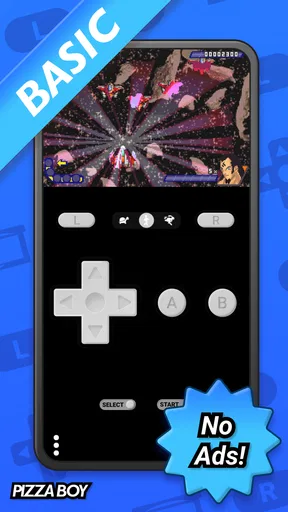
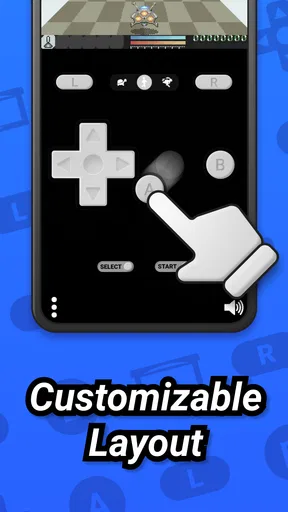
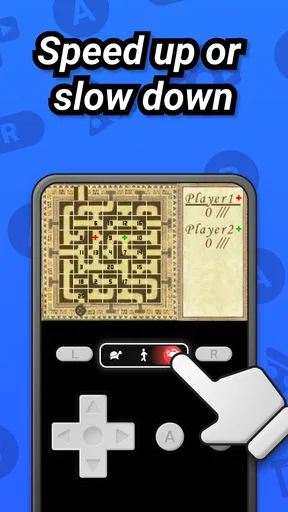
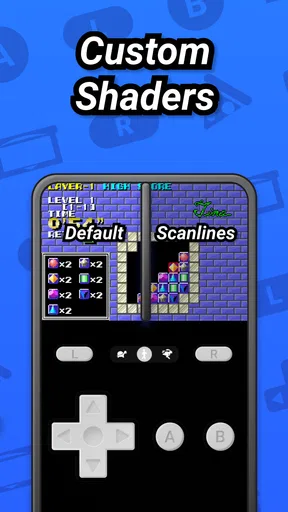
Our Review of Pizza Boy A Basic
 Analysis by Appyee
I approached Pizza Boy A Basic with a simple question: can someone who has never used a Game Boy Advance emulator get from installation to playing comfortably without feeling lost? My experience is that it makes a friendly first step. It is a free arcade game utility from Pizza Emulators, built around a straightforward idea rather than a crowded presentation. You provide your own legally obtained game files, choose one, and use the on-screen controls to play.
That simplicity is the main reason I would recommend it to a friend who wants to revisit GBA games on a phone. It does not ask you to learn a complicated interface before doing anything useful. At the same time, an emulator is not the same thing as a game collection, so expectations matter. The app supplies the playing environment, while the responsibility for obtaining compatible software legally remains with you.
What the first few minutes feel like
Pizza Boy A Basic is listed as an arcade game and has built a strong audience: it holds a 4.9 average from around 42 thousand ratings, with more than one million installs. Those figures suggest that the basic experience is easy for many people to understand, but they do not remove the small decisions every new emulator user faces. The most important one is knowing what belongs to the app and what belongs to your own game library.
After installing it, I would not begin by changing every available option. A better first session is deliberately narrow: open the app, locate a legally owned GBA game file on the device, load it, and check whether the controls feel comfortable. That gives you a meaningful result quickly. If the game starts and you can move, select, and pause without fighting the screen, you already know whether this emulator suits your phone and your playing habits.
The app is free and rated for Everyone, which makes it approachable for families and younger players, although the games you load can have their own content and age guidance. Its current version is 2.3.3, and it runs on Android 8.0 or later. That minimum requirement is useful to check before installation, especially if you are trying to revive an older phone for retro gaming.
One detail I appreciate is that the product identity stays clear. Pizza Emulators is not presenting this as a modern action game with its own campaign. It is an emulator for the Game Boy Advance era. That distinction prevents a common disappointment: installing it and expecting built-in levels, characters, or downloadable games. The enjoyable part begins when you connect it to games you already own in a lawful form.
Getting from installation to a playable game
For a first-time user, the smoothest workflow is to prepare the game file before opening the emulator. Keep it somewhere you can recognize easily, rather than scattering files across several folders. If you transfer it from another device, give it a clear name and avoid changing its file extension casually. The emulator can only work with a file it can identify as a compatible GBA game, so organization at this stage saves more time than experimenting with random files later.
When you open the app, look for the normal file-browsing or game-selection route and choose the prepared file. The exact appearance can vary with Android versions and device layouts, but the underlying task is consistent: point the emulator toward your own game. If the file does not appear, first check its location and format instead of assuming the app is broken.
I recommend starting with one game rather than importing an entire collection. This makes it easier to tell whether a problem comes from the file, the folder, or the emulator. It also keeps the first screen less intimidating. Once one title loads correctly, adding more becomes a simple organizational task instead of a guessing exercise.
Your first goal should be a working game, not a perfect configuration. New users often lose momentum by searching through settings before confirming that the basic path works. Load a game, reach its opening screen, and test the buttons. Only then should you decide whether the default arrangement needs attention.
Making the first successful action count
The first real success is not merely seeing a title screen. I would test an action that requires several controls: move through an opening area, confirm a selection, and pause or open the game’s menu. This quickly reveals whether the virtual buttons are positioned well for your hands and whether taps register naturally on your device.
Touch controls are convenient, but they are never identical to the physical buttons of the original handheld. Your thumbs can cover part of the display, and fast games may expose the limits of tapping glass. For slower exploration or turn-based play, that trade-off is usually easy to accept. For games that demand rapid, repeated input, an external controller may be more comfortable if your phone supports the one you already own. I would not buy extra hardware before testing the emulator, but I would keep that option in mind if your first session feels cramped.
Screen orientation is another practical choice. A wider layout can make the controls feel less crowded, while a taller layout may be easier to hold in one hand. There is no universal winner because hand size and game type matter. I tend to choose the orientation that leaves my thumbs relaxed rather than the one that makes the game image look largest.
A useful habit is to play a short, low-pressure section before judging performance. Give yourself enough time to notice input timing, screen readability, and whether the phone remains comfortable to hold. A quick launch can prove compatibility, but a longer session tells you whether the setup is genuinely usable.
Where first-time users commonly get confused
The biggest misunderstanding is expecting the emulator to include games. It does not turn into a library simply because it is installed. You need compatible game files that you are entitled to use. This is also why searching for a download inside the app can lead to frustration: the emulator’s job is to run your files, not to supply a catalog of commercial releases.
Another common issue is confusing a file problem with an emulator problem. If one game fails to load while another works, the first file deserves attention. Check that it completed its transfer, that it is not still inside an archive the app cannot read, and that it is genuinely a GBA file. Keeping an untouched backup is sensible; repeatedly renaming or converting files can make troubleshooting harder.
People also sometimes treat every visual or audio difference as a serious fault. Emulation is a translation process, and a phone display is not the same as the original handheld screen. Small differences in scaling, color, or sound can be noticeable even when the game is playable. I would judge the experience by the things that affect control and progress first: does the game respond promptly, remain stable, and let you save through its intended system?
Saving deserves special care. The safest routine is to use the game’s own save feature whenever possible, then wait for the save to finish before closing the app. If you rely only on an emulator shortcut or leave immediately after an important moment, you create an avoidable risk. I prefer treating quick-save style tools as a convenience rather than the only copy of progress, particularly during a first playthrough.
File locations can also confuse people after moving or replacing a game. If you reorganize folders, the emulator may no longer find the same path automatically. That does not necessarily mean your progress has vanished; the save may still be associated with the original file or location. Before starting over, restore the file to its previous place and check the naming carefully.
Small habits that make the experience better
My first practical tip is to create a dedicated folder for GBA games and keep it stable. This is more useful than it sounds. A consistent location makes future launches predictable, reduces duplicate files, and helps you identify which version of a game you are opening. It also makes transferring your library to a replacement phone less chaotic.
My second tip is to test controls with a game that uses more than one type of input. Movement alone can feel fine, but menus, shoulder buttons, and rapid combinations reveal whether your chosen layout is comfortable. If you play a title with frequent shoulder-button use, pay attention to whether reaching those buttons makes you shift your grip. A layout that feels acceptable for a short menu may become tiring during a long session.
My third tip is to separate experimentation from important progress. If you want to try a different display arrangement or control position, do it near the beginning of a session or with a game you are not deeply invested in. Changing several settings while playing a favorite title makes it difficult to know which change helped and can interrupt the rhythm of the game.
A fourth useful habit is to keep the app and your game files conceptually separate. Updating or reinstalling the emulator is one task; backing up your saves and organizing your games is another. Treating them separately encourages better housekeeping. Before making major changes to the phone, preserve the files that matter to you instead of assuming an app installation contains everything.
How it compares with other ways to play GBA games
Compared with using original hardware, Pizza Boy A Basic wins on convenience. A phone is already in your pocket, and one emulator can replace carrying a separate handheld, cartridges, and spare batteries. The compromise is tactile: glass controls do not provide the same physical feedback, and the phone’s shape may be less comfortable for extended sessions.
Compared with more feature-heavy emulators, this app’s appeal is its lower learning curve. A powerful alternative may offer a wider selection of systems or a deeper configuration menu, which can be valuable for experienced users. That extra flexibility can also make the first session feel like technical setup rather than play. For someone focused specifically on GBA gaming, I would rather begin with a focused tool and only move to a broader emulator if a particular advanced need appears.
Original hardware is the better choice for collectors, players who care deeply about authentic controls, or anyone who wants the physical experience itself. A multi-system emulator may be better if your library spans several Nintendo generations and you want one application for everything. Pizza Boy A Basic makes the most sense when your target is GBA and your priority is getting started without a large configuration project.
Who will enjoy it, and who should skip it
I think it is especially suitable for a first-time emulator user, a returning player who wants a familiar handheld library on Android, or someone who wants to sample an old favorite during a commute. It is also a sensible choice for short sessions because the phone is easy to access and the setup can remain simple once your files are organized.
I would be more cautious about recommending it to someone who wants a ready-made game catalog, refuses to manage personal files, or expects touch controls to feel exactly like buttons. It is also not the ideal starting point for a person who wants one emulator to cover many unrelated consoles. In that situation, a broader tool may save future switching, even if it takes longer to learn.
For a realistic everyday example, imagine having twenty minutes before an appointment. I would keep one legally obtained GBA game in a clearly named folder, open the emulator, load it, and continue from the game’s own save point. That workflow is much less stressful than searching through downloads, changing settings, and trying to remember where progress was stored. The app works best when it becomes a quiet bridge between your phone and your existing library, not another project demanding constant attention.
What I would do after the first session
Once a game runs well, I would make only the adjustments that solve a real problem. If the controls feel cramped, change their arrangement. If the image is uncomfortable to view, try a different orientation or scaling choice. If everything already feels natural, leave it alone. The best emulator setup is not the one with the most changes; it is the one that disappears while you play.
I would also establish a save routine before becoming invested in a long game. Use the title’s normal save method, close the app normally, and occasionally verify that your progress returns correctly. This simple check answers an important practical question early, when losing a few minutes is less painful than losing several hours.
Pizza Boy A Basic has been available since June 11, 2019, and its current 2.3.3 release continues to present a focused route into GBA emulation. I like that its identity is easy to understand: it is free, it targets a specific handheld platform, and it does not require a beginner to become an emulator expert before trying a game.
My final recommendation is straightforward. Install it if you already have legally obtained GBA games and want a clean Android-based way to play them. Start with one file, confirm the first successful action, test the controls during a real short session, and build from there. It is a strong first emulator when convenience matters more than collecting every possible advanced option. If authentic buttons, a built-in library, or support for many systems matters more to you, another route will fit better. For focused GBA play on a compatible Android phone, though, this is an easy app to try and a practical one to keep.
Verdict
Strengths of Pizza Boy A Basic
- Accurate emulation for many classic Game Boy and Game Boy Color titles.
- Simple controls make it easy to start playing without a long setup.
- Save states let you pause progress and resume quickly.
- Supports cheat codes for players who want extra customization.
- Runs well on many older Android devices with modest hardware.
Limitations of Pizza Boy A Basic
- The free Basic version has fewer features than the paid editions.
- Touchscreen controls can feel less precise during fast platforming.
- Some games may require manual controller layout adjustments.
- The app is focused on Android and offers no official iOS version.
- Advanced options may feel confusing for users new to emulation.
Other Releases by Pizza Emulators
View All
Pizza Boy A Pro
Arcade4.8

Pizza Boy C Pro
Arcade4.3
Similar Picks in This Category
View All
Subway Surfers
SYBO Games4.6

Stickman Party 234 MiniGames
PlayMax Game Studio4.6

Subway Princess Runner
Ivy4.4

Temple Run
Imangi Studios4.2

Zombie Tsunami
Mobigame SAS4.6

Stack Ball - Crash Platforms
CASUAL AZUR GAMES4.5
Frequently Asked Questions
What is Pizza Boy A Basic?
Pizza Boy A Basic is an Android Game Boy Advance emulator designed to let you play compatible GBA games on a modern device. It recreates the original console environment and includes practical features such as customizable on-screen controls, save states, controller support, and display options. It is an emulator, not a game library, so users generally need to provide legally obtained game files themselves.
Is Pizza Boy A Basic free to download and use?
Pizza Boy A Basic is available as a free version, making it a convenient way to try GBA emulation without paying upfront. However, the Basic edition may not include every advanced feature offered in paid or premium versions. Availability, advertising, and feature differences can change with updates, so it is worth checking the current store listing before downloading and comparing the included tools with your expectations.
Does Pizza Boy A Basic include Game Boy Advance games?
No, Pizza Boy A Basic does not normally include commercial Game Boy Advance games. The application functions as an emulator, meaning you must use compatible ROM files that you own or have obtained legally. Downloading copyrighted ROMs from unauthorized websites may violate copyright law and can also expose your device to unsafe files. Always check local regulations and use trusted, lawful sources.
What features does Pizza Boy A Basic offer for gameplay?
Pizza Boy A Basic focuses on making classic GBA games comfortable to play on a phone. Depending on the version and device, you can expect features such as save states, quick loading, customizable virtual buttons, screen layout adjustments, controller compatibility, and performance settings. These options are especially useful when touch controls feel restrictive or when you want to continue a game without relying only on the original cartridge save system.
Does Pizza Boy A Basic work well on every Android device?
Pizza Boy A Basic is designed to run on many Android phones and tablets, but the experience can vary depending on hardware, Android version, screen size, and the specific game being emulated. Most compatible devices should handle standard GBA titles smoothly, while older or heavily customized phones may require performance adjustments. Before installing, review the current minimum requirements and user feedback on the Google Play listing.
Play our best games!


